Make Including / Excluding
This command does not insert new content, but rather makes existing content conditional.
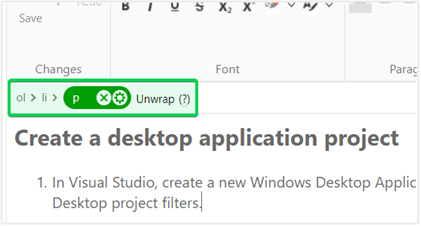
If there is no selection, the conditionality will be applied to the currently active element. You can see the currently active element in the Tag Inspector:
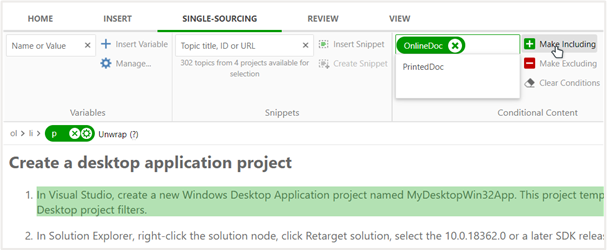
If you hover over either of the "Make..." buttons, the element that will be converted to conditional will be highlighted.
If you select several inline elements, the conditionality will be applied to a common block-level parent of the selected elements.